




Already running real events · Public launch Q4 2026

Your client’s guests, handled in their language.

Invitations on WhatsApp, replies counted in one panel, seating planned, and a role for your client that lets them follow along without breaking anything.

An illustration with sample guests and a design that shows the general idea, not the details of the platform. The panel shows one event at a time: you switch between your events with one login.

Built for

For the people who run the event

Five kinds of professional, and what each gets from InviteBerry today.

  • Independent wedding planners

    One client at a time: your client can be a host who follows the list and the seating, and their guests are written to on WhatsApp in three languages.

  • Agency owners

    A team on several events, with a role for each person and a record of who did what.

  • Day-of coordinators

    The live guest list and seating on a phone, calling rounds a helper works from a link, and the reception desk (paid add-on).

  • Venue event managers

    Seating you can print, and the reception desk (paid add-on) at the door.

  • Corporate event producers

    Personal invitations on WhatsApp, speaker and sponsor sections for conferences, and a host role for the client company.

Two ways in

One product, led with what fits how you work

The product is the same for both. What differs is what you reach for first.

An event planner holding a tablet in a bright venue set for a reception.

For planners

One client at a time, handled well

  • Your client can be a host: they follow the guest list and the seating and cannot break either
  • Invitations and RSVP on WhatsApp, each guest in their own language
  • Seating planned in the hall and printed for the venue
  • The reception desk (paid add-on) and photos with automatic screening

Join the waitlist as a planner
Four event professionals around a white table in a venue hall, looking at a laptop and a printed table plan.

For agencies, early access

A team on several events, with the right access for each person

  • Owner, editor, host and photo moderator, so everyone sees only what their role needs
  • An activity log of who did what, kept for a year
  • Export a finished event to a spreadsheet and a PDF report, and restore it into an empty event
  • One login for several events, switched from the header, one event at a time
Join the waitlist as an agency

How a planner runs an event here

Set up with you, run by your team

Three steps from the first call to the last guest through the door.

  1. 01

    We set it up with you

    Events are set up with us ahead of the public launch: there is no self-serve creation yet. A setup wizard then walks you through every setting a guest will see.

  2. 02

    Give everyone the right access

    Owner, editor, host and photo moderator: each role sees only what it needs, and your client can be a host.

  3. 03

    Run the day

    Replies are counted as they arrive, and those who have not answered wait on a ready calling list for you, or a helper with a link, to call. On the day, the reception desk (a paid add-on) finds each guest by name in any alphabet.

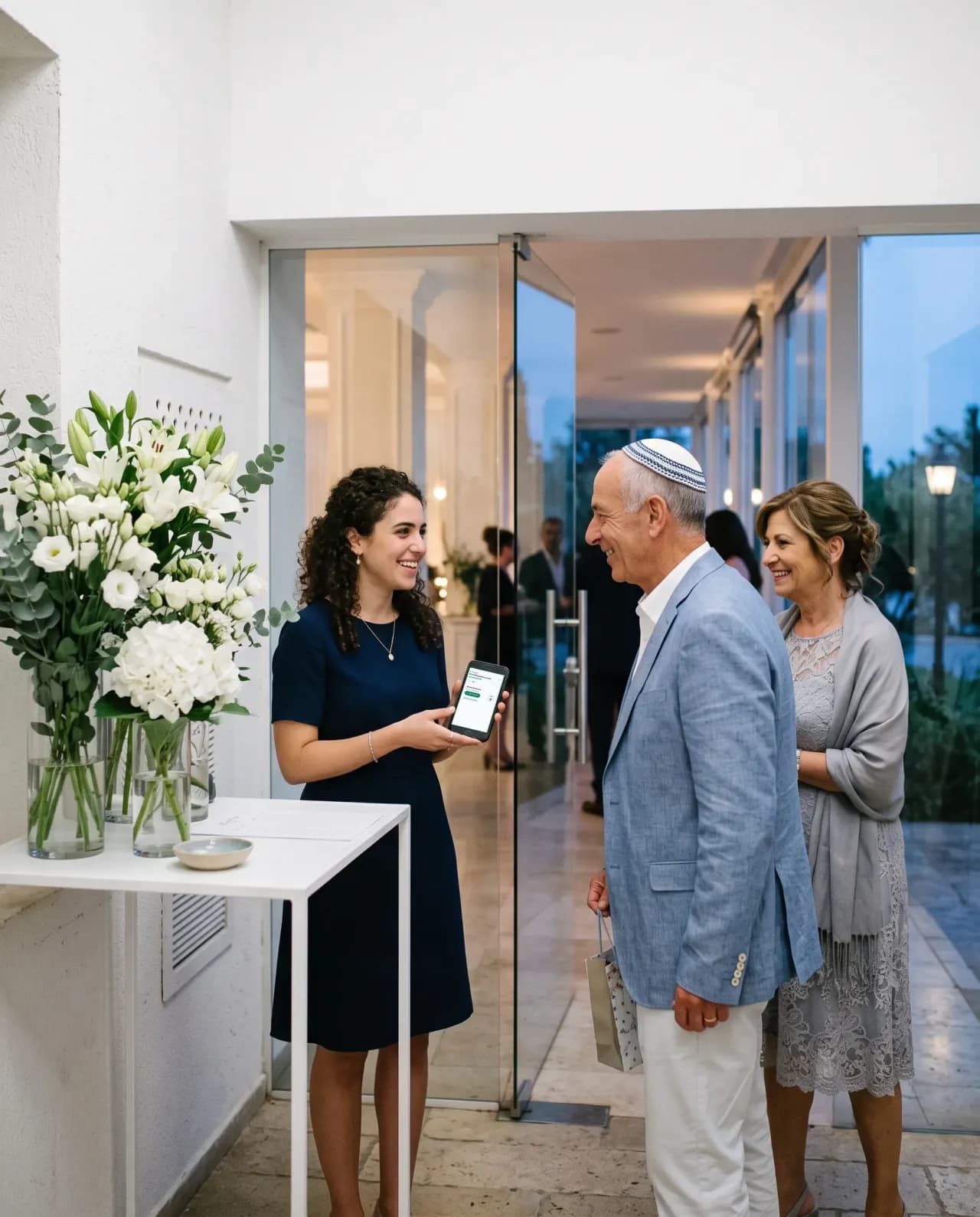
A coordinator at a welcome desk holding a tablet, greeting guests as they arrive.

The organiser panel

The panel your team works in

Seven of the things your team does every day, in the order a planner reaches for them. Tap a tab.

Helpers see only what their role needs

Invite an editor or a photo moderator by email, move them between roles, pause or remove them. Hosts follow along without touching anything they should not.

  • Editors run guests, messages, seating, money and the site
  • Hosts read the list and the plan, record gifts and moderate photos
  • Photo moderators see the gallery and nothing else
inviteberry.com/admin/settingsExample
  • Noa LeviEverything, plus the teamOwner
  • Дима ВолковGuests, messages, seating, money, siteEditor
  • אורי כהןReads the list, records giftsHost
  • Maya PeretzThe gallery onlyPhoto moderatorPaused
Invite a helper

The invitation

Start with the invitation

Choose the event, name it and set the language. What you make here is the invitation your client’s guests receive, just below.

For every guest

This is how your client’s guests will see it

The invitation you made above, as it arrives: big buttons, plain words, their own language. No app to install and no account to create. Tap a reply and watch your panel count it.

  • עברית
  • Русский
  • English

Try it as a guest: tap a reply

Anna & DanielInviteBerry

invite you to their wedding

Thursday, 17 June 2027

Open the invitation site
11:30

Live demos

Try the features

Everything here works right on the page. Nothing is saved, and nothing is sent.

Make the card

Pick the event, type the names, choose one of the designs and the language: the card follows as you go.

Answer as a guest

Tap a reply in the invitation: the organiser’s list counts it at once. Switch the guest’s language below.

The album guests open

Like a photo, save it to a folder only you see, or pick a few to download. Included with every event.

Build the event site

Pick one of the site builder’s eleven themes, the event, the names, the date and the sections: the preview rebuilds at once.

Seat them by drag

Drag a guest or a whole party onto a table, or tap the armchair to choose one. A table that is too small says so.

Messages on WhatsApp

Pick the message: invitation, reminder, event-day message or thank-you. Each goes to its own guests by default. Check how it looks in WhatsApp and send; here the queue only pretends.

Add an expense

Add a category, record a payment, and watch paid, left and the totals follow.

Keep track of the gifts

Mark each guest’s gift as money or an item and type the amount: you see at once who gave what was expected, less, or nothing yet, and the totals follow.

The guest side, in one place

Seven places to check, or one.

How the guest side of an event is usually run, next to how it works in InviteBerry. It sits beside your proposal and invoicing tool and does not replace it.

The jobThe usual wayWith InviteBerry
Guest listA spreadsheet per clientCopies of the same list, and nobody sure which one is current.One guest list per event, imported from a spreadsheet or from WhatsApp contacts.
RepliesWhatsApp chats and callsAnswers scattered across threads, then retyped into the list.Guests reply with one tap, in their own language, and the answer lands in the list.
Client updates“Where are we?” messagesYou assemble a status by hand every time the client asks.A client who is a host follows the list, the seating and message delivery on their own.
SeatingA chart in a design toolRedrawn after every change, then sent to the venue as a file.A drag-and-drop planner with groups and keep-apart rules, printed when it is final.
Team accessThe whole list shared with every helperHelpers see everything, and nobody can tell who changed what.A role per person, and an activity log of who did what, kept for a year.
The doorA printed listNames spelled one way on paper and another at the entrance.The reception desk (paid add-on) finds a guest by the name typed at the door, in any alphabet.
PhotosA shared drive linkLinks get lost, and anyone with the link can add anything.A gallery behind a sign-in, with every upload screened automatically.
Seven places to checkOne panel per event

Roles in practice

Everyone sees what their role needs

Your client can be a host: they follow the list and the seating, record gifts and moderate photos, and cannot message guests or change the plan. The limits are enforced by the server and the database rules, not only by hiding buttons.

What each role can do by defaultOwnerEverything, plus the teamEditorA trusted helper, day to dayHostThe client the event is forPhoto moderatorThe gallery, nothing else
Guest list and repliesYesYesRead onlyNo
Seating planYesYesRead onlyNo
Send messages, bulk sends includedYesYesNoNo
Message delivery statusesYesYesRead onlyNo
Gifts recorded per guestYesYesYesNo
Photo moderationYesYesYesYes
Site builderYesYesNoNo
Activity logYesYesNoNo
Project settings and the teamYesNoNoNo

These are the defaults. Whoever hands out the roles can change them for one specific person: open something beyond the role, or close what that person does not need. How many helper seats an event has is part of its plan.

Also in the box

  • Included

    Calling rounds

    For the guests who have not answered: a ready list to work through from your own phone, each answer marked as you go. Or hand it to someone you trust with a private link.

  • Paid add-on

    Reception desk

    Whoever meets your guests types the name a guest gives, finds the party, says the table, marks everyone in with a tap and writes down anyone not on the list.

  • Paid add-on

    AI floor plan

    Upload an image of the hall plan and AI reads it into the seating tool.

  • Paid add-on

    Live screen

    Guest photos that passed screening play as a slideshow on the venue projector.

  • Enabled per event

    WhatsApp assistant

    Guests RSVP by tapping a reply in WhatsApp, and the assistant answers their questions from your published event site.

  • Enabled per event

    AI site translation

    Write your invitation site in one language and AI drafts the missing ones, marked for you to review.

  • Coming soon

    Find photos of me

    Guests will find the photos they appear in. It is switched off for now and is coming soon.

  • Included

    Message texts per event type

    Seven event types each come with their own written texts, in Hebrew, Russian and English.

  • Included

    Contact upload by WhatsApp

    A coordinator can send a guest list in by WhatsApp, into an event they belong to.

  • Included

    Gallery viewers

    People off the guest list, such as a photographer or a relative of the client, can be given the gallery, up to a limit set in the event’s plan.

  • Included

    Second factor for organisers

    Organiser accounts can be protected with an authenticator app.

  • Coming soon

    Printed album

    Lay out a photo book from the best of the shared gallery; ordering it in print is coming soon.

Questions planners ask

Straight answers

Tap a question to see the answer

  • Not yet. Events are set up with us, ahead of the public launch in Q4 2026. There is no self-serve creation and no cloning of a past event.

Get early access

Early access and special conditions for early adopters.

I am:

By joining, you'll get the best conditions for early-access members and occasional important updates. Unsubscribe anytime.