Your whole event in one place, from invitations and seating to the photo album.
The site and invitations in three languages, every guest’s reply online right away, smart seating, budget, gifts and a shared album.
Already running real events · Public launch Q4 2026



At a glanceSample dates. Yours set the pace.
One platform, any event
The event type changes the look and the wording, never the tools.
 WeddingOpen the page
 Bar and bat mitzvahOpen the page
 BirthdayOpen the page
 Corporate and conferencesOpen the page
Business and brand events
What is inside
Everything your event needs
Point at a card, or tab to it, and it turns over to tell you what it does. Click it for the whole page.

Invitation website
One site in Hebrew, Russian and English
Choose a theme, then add your story, the schedule and the venue map. One site in up to three languages, with the reply form built in.

RSVP and messaging
WhatsApp and SMS, with every reply counted
A personal invitation to each guest by WhatsApp or SMS. One tap on a reply records the answer; reminders and thank-yous go out from the same place.

Guest list
Import, sides, groups and every language
Bring the list in from a spreadsheet or from WhatsApp contacts, then sort it by side and group, with each guest’s own language.
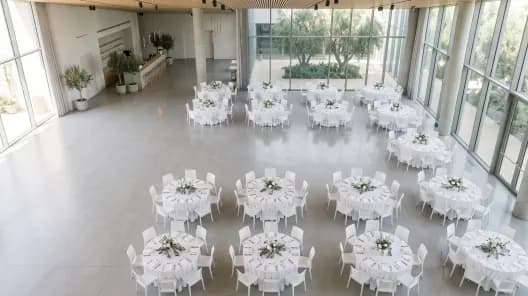
Seating
A hall plan with groups and keep-apart rules
Build the hall, mark who sits together and who stays apart, and drag guests to their tables.

Budget and expenses
Venue, extras, tips, every payment
Every expense on one plan: venue, extras, tips, each with the payments already made and what is still owed.

Attendance and gifts
Who came, and what each guest gave
After the day, see who said yes against who came, and record every gift, money or an item.

Photos
A shared gallery, screened, on screen and in print
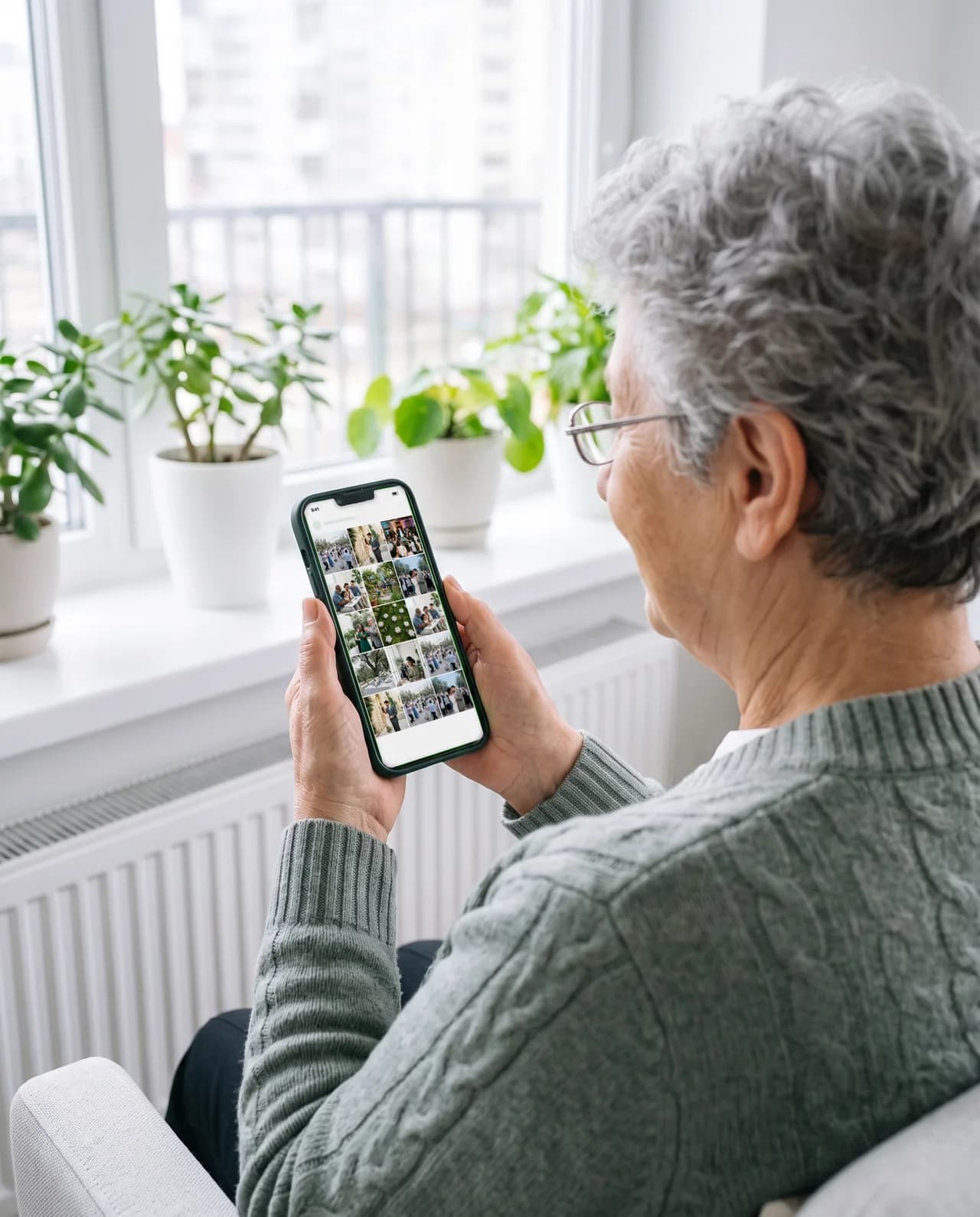
One shared gallery behind a sign-in. Guests upload from their phones, and nothing shows until you publish it.

Reception desk
Check guests in at the door, a paid add-on
Paid add-onWhoever meets your guests finds each party by name, tells them their table and marks them in with a tap.

Live screen
Guests’ photos on the hall projector
Paid add-onPhotos your guests upload appear on the projector in the hall a couple of minutes later, with a QR code in the corner that leads to the gallery.

Printed album
A printed book from the event album
Coming soonLay out a book page by page from the event’s photos. Ordering it in print is not open yet.
How it goes
One event, eight moments
From the first draft of the site to the shared album, in the order it happens. The phone keeps pace as you read.
4 months before
Make the invitation site & invitation card
Choose a theme, write your names and the date, and add the schedule and the venue with its map. One site in up to three languages, the reply form already part of it, and the invitation card set from the same details, for WhatsApp and for print.
3 months before
Bring the guests in
Share contacts from your phone book into InviteBerry’s WhatsApp chat, several at once, or have a relative do it for their side. They wait for you to check them, then join your guest list. A spreadsheet works too, and everyone is sorted by side, group and the language they read.
2 months before
Send the invitations, collect the replies
Each guest gets a personal invitation by WhatsApp or SMS, in their language, and on WhatsApp it opens with the card you made, once you approve it. One tap on a reply records the answer, and your guest list counts it.
1 month before
Seat everyone
Build the hall, say who sits together and who stays apart, and drag guests to their tables, with every table’s count in view.
2 weeks before
Know what is left to pay
Venue, extras, tips: each expense with its partial payments and what is still owed, and a bill several people share split between them. One plan you can export to Excel.
The day itself
At the door
Whoever meets your guests opens a link on their own phone, types the name each guest gives, finds the party, tells them their table and marks them in with a tap. Someone who is not on the list is written down for you. A paid add-on.

- Reception deskPaid add-on
During the party
On the screen
The projector in the hall plays guests’ photos a couple of minutes after they upload them, with a QR code that brings the next table into the album. Only photos the automatic check approved go up. A paid add-on.

- Live screenPaid add-on
The week after
Thank everyone, then share the album
See who said yes against who came, record the gifts and send the thank-yous. The album is the same one guests filled during the evening, the one the screen played from, kept behind a sign-in until you publish it. A printed book from it is coming soon.

- Printed albumComing soon




 Anna & Daniel





Early access
Plan your next event in one place
Join early access and set it up before the public launch.
Live demos
Try the features
Everything here works right on the page. Nothing is saved, and nothing is sent.
Make the card
Pick the event, type the names, choose one of the designs and the language: the card follows as you go.
Answer as a guest
Tap a reply in the invitation: the organiser’s list counts it at once. Switch the guest’s language below.
The album guests open
Like a photo, save it to a folder only you see, or pick a few to download. Included with every event.
Build the event site
Pick one of the site builder’s eleven themes, the event, the names, the date and the sections: the preview rebuilds at once.
Seat them by drag
Drag a guest or a whole party onto a table, or tap the armchair to choose one. A table that is too small says so.
Messages on WhatsApp
Pick the message: invitation, reminder, event-day message or thank-you. Each goes to its own guests by default. Check how it looks in WhatsApp and send; here the queue only pretends.
Add an expense
Add a category, record a payment, and watch paid, left and the totals follow.
Keep track of the gifts
Mark each guest’s gift as money or an item and type the amount: you see at once who gave what was expected, less, or nothing yet, and the totals follow.
Replace eight tools
Eight places to check, or one.
How an event usually gets organised today, next to how it works in InviteBerry.
| The job | The usual way | With InviteBerry |
|---|---|---|
| Invitation site | A website builder and a formThe site and the replies live apart, and answers are copied across by hand. | Your event site in up to three languages, with the reply form built in. |
| Invitations | A WhatsApp groupEveryone sees everyone, and replies get buried in the chat. | Personal invitations by WhatsApp or SMS, in each guest’s language. |
| RSVP | A phone RSVP serviceAnswers come back as a separate report you merge by hand. | Guests reply in one tap, and the answer lands in your guest list. |
| Seating | An Excel seating chartRetype names and recount every table after each change. | Groups, keep-apart rules, a visual hall plan and a printable chart. |
| Budget | A budget spreadsheetWhat was paid, and what is still owed, lives in someone’s notes. | Venue, extras, tips and VAT on one plan, paid in parts or shared between several people, exported to Excel. |
| Attendance and gifts | A paper list and a spreadsheetWho came is ticked on paper at the door, and the envelopes are typed up later. | Who said yes against who came, and every gift, money or an item, in Finances. |
| Photos | A shared drive folderLinks get lost, and anyone with the link can add anything. | One shared album, with every upload screened automatically. |
| Album | A separate print shopDownload, sort and upload everything all over again. | Lay out a printed book from the shared album; ordering it is coming soon. |
| Eight tools, eight logins | One panel |
The organiser panel
Everything behind the scenes, in one place
Seven of the things organisers do here every day. Tap a tab.
Send to everyone, or only the people you pick
Save the dates, invitations, event-day reminders and thank-yous, by WhatsApp or SMS. Each guest gets the text written for their language.
- Everyone, or a hand-picked list filtered by side, reply or WhatsApp status
- A written text for each language, never a machine translation
- An optional personal link, and an unsubscribe link in every message
Every reply, the moment it arrives
Answers from WhatsApp, SMS, the invitation site and phone calls land in one guest list, with how many people each guest brings.
- Attending, waiting and not coming, counted for you
- Each answer shows how it arrived: a message, the site or a call
- Each guest's RSVP history, answer by answer
The guests who have not answered, in one ready list
Three ready rounds: save the date, no answer yet, thank-yous. Call from your own phone and mark each answer with a tap, or hand a round to a parent by private link.
- One tap records the outcome: coming, not coming, no answer, wrong number
- An answer taken by phone updates the list and the seating at once
- A shared link opens only the rounds you tick, and only for a while
Who came, and what each guest gave
Record each gift as it comes in, money or an item. The panel puts who came next to who said they would.
- Gifts per guest: money or an item, with amount and currency
- Real attendance next to the RSVP count, with every mismatch flagged
- The thank-you round starts from who really came
A shared album that checks itself
Every upload is screened automatically and, by default, waits for you to publish it. What the screening holds and removal requests arrive in the same place.
- Approve or hide in one tap, or hand it to a photo moderator
- Guests sign in to the gallery with a code or their phone
- Downloads and the whole album as one archive; a printed book is coming soon
Helpers see only what their role needs
Invite an editor or a photo moderator by email, move them between roles, pause or remove them. Hosts follow along without touching anything they should not.
- Editors run guests, messages, seating, money and the site
- Hosts read the list and the plan, record gifts and moderate photos
- Photo moderators see the gallery and nothing else
Your invitation site, built and published from here
Start from your venue’s link, write once, and publish one address that every guest opens in their own language.
- Venue details suggested from its link, confirmed by you
- Hebrew, Russian and English on one site, right to left included
- AI site translation, enabled per event, drafts the missing languages for review
Early access
Try the whole panel on your own event
The site, the guests, the seating, the budget and the photos, in one panel.
For professionals
Planners and photographers work here too

For planners
Many events in one panel, a team with roles

For photographers
A shared gallery, moderated, downloadable, printed
Also in the box
- Enabled per event
WhatsApp assistant
Answers guests’ questions from your event site.
- Included
Calling rounds
Who has not answered, in one list: call, or hand it to a friend.
- Enabled per event
AI site translation
Write once; AI drafts the other languages for you to check.
- Included
Printable invitation
A print-ready card, set from your site.
- Paid add-on
AI floor plan
A photo of the hall plan becomes your seating.
- Paid add-on
Reception desk
Find a party by name, give the table, mark them in.
- Paid add-on
Live screen
Guests’ screened photos on the venue projector.
- Included
Photo screening
Every upload checked, and held until you publish.
- Included
Team roles
Each helper sees only what their role needs.
- Coming soon
Printed album
Lay out a photo book now; ordering it is coming soon.
- Included
Activity log
Who did what, and when, kept for a year.
- Included
Event archive
The whole event in one spreadsheet, with a PDF report.
- Coming soon
Find photos of me
Guests will find the photos they are in.
- Included
Your album in one ZIP
You take every photo at once; guests you choose get the hosts’ photos as one file.
- Included
Likes and private bookmarks
Guests save photos only they see, and like them where you switch likes on.
Trust from day one
Your guests trust you. Here is what we do with that.
Everyone you invite leaves something with you: a phone number, a reply, a photo from the dance floor. This is what happens to each.

Her phone number
Used for your event’s messages. Never for ads, and never sold.
Her photos
Checked automatically, then they wait for your OK before anyone else sees them.
Her details
She can see, correct or delete them at any time. Deleted means gone.
Her visit to your site
Not tracked, unless she says yes to it.
Privacy, consent and data protection follow GDPR and Israeli privacy law.
Questions
Everything you might ask, before you join.
Tap a question to see the answer
- One tap, right inside WhatsApp or on the site, no app to install and no account to create. A guest picks "I'm coming", adds a plus-one and dietary notes, and their reply is recorded in your spreadsheet in real time.
- Hebrew, Russian and English, with full right-to-left support. Every guest opens the invitation in their own language on the very same site, so no one in the family feels like an outsider.
- No. Every event gets a clean address like inviteberry.com/anya-daniel from the start, with no technical setup. And a personal domain will be connectable too, we're rolling that out after launch.
- Final pricing will be announced at the public launch. Get early access before we open and you'll get an email with a special offer.
- The platform is already running real events. Public launch in Israel in Q4 2026; early-access members come first and get Pioneer status with special conditions.

Get early access
Early access and special conditions for early adopters.