Live demo
See InviteBerry working before you sign up
Two full demos to click through the way a guest would, and a short demo of each feature. Nothing you type into a demo is sent anywhere.
Full demos
The site your guests open, and the album they fill
Both are the product itself on a sample event, not screenshots.
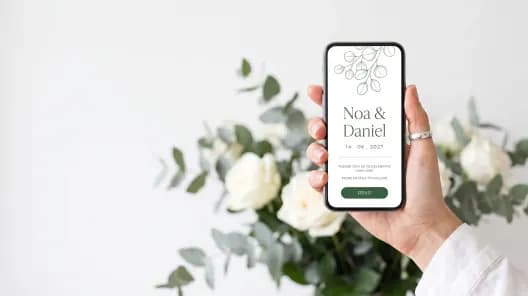
Invitation website
A wedding invitation site as a guest opens it on the phone.
- The day, the venue and the way there
- The RSVP form, which answers but sends nothing
- Hebrew, Russian and English on one site

Photo album
The shared album the guests fill from their own phones.
- Photos of a sample event, as the guests see them
- The full-screen viewer, photo by photo
- Upload, download and likes in their places, switched off in the demo
Signature themes
Six of the looks your site can wear
Each one is a live site on a sample event. Hover a card to scroll through the page, or open it and look around as a guest would.
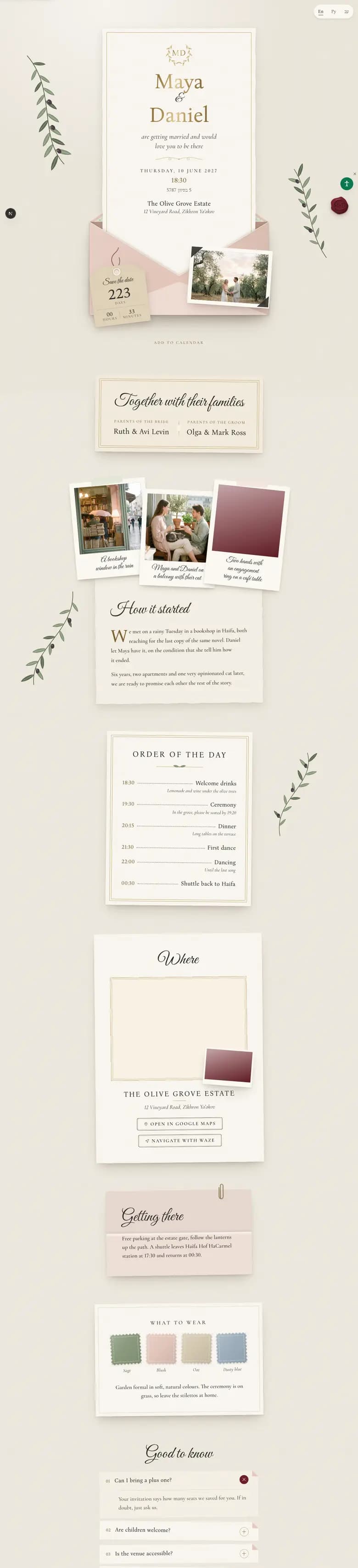
Paper Suite
A paper invitation with a monogram, in gold on cream.
- Sample: the wedding of Maya and Daniel
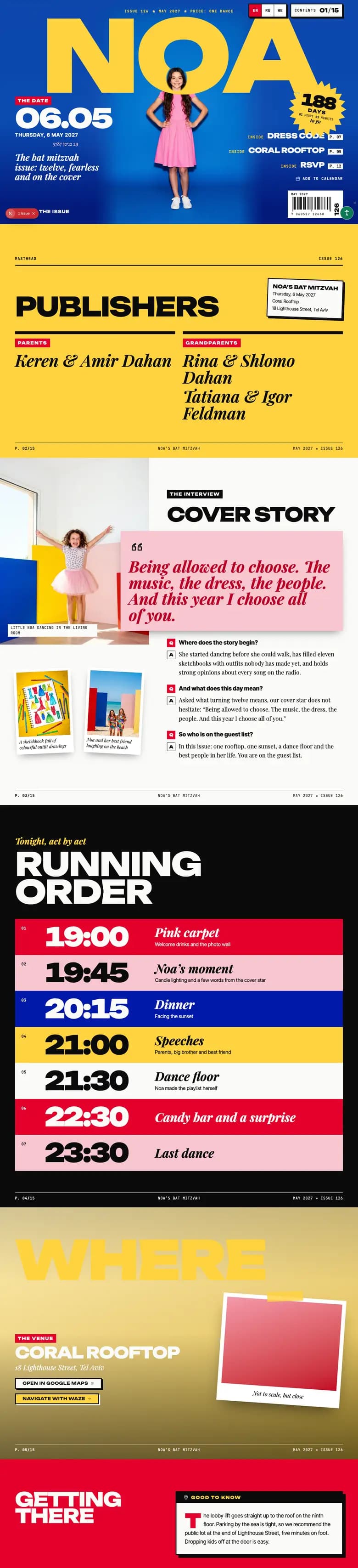
Cover Story
A magazine issue, with a cover, headlines and columns.
- Sample: the bat mitzvah of Noa
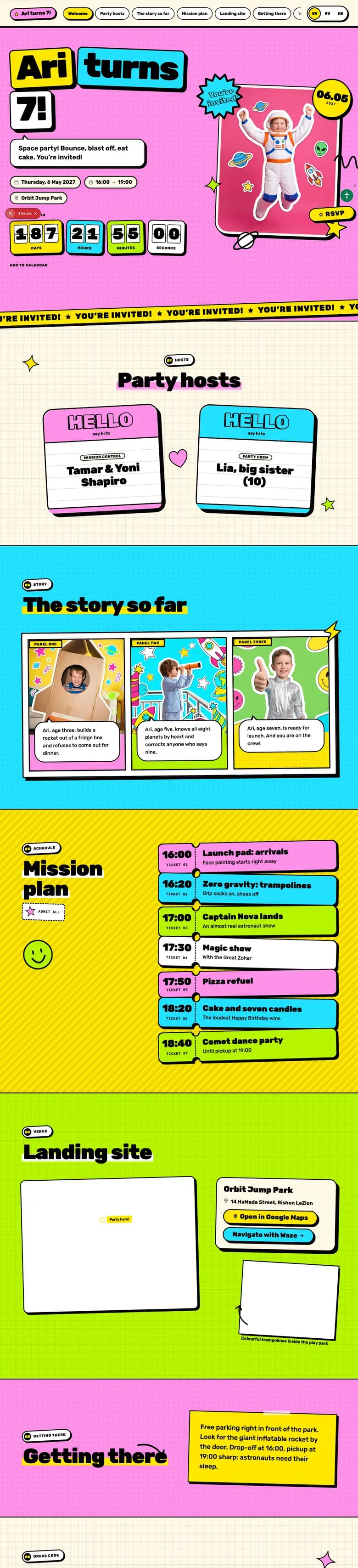
Sticker Riot
Loud colour and stickers all over the page.
- Sample: Ari turns 7
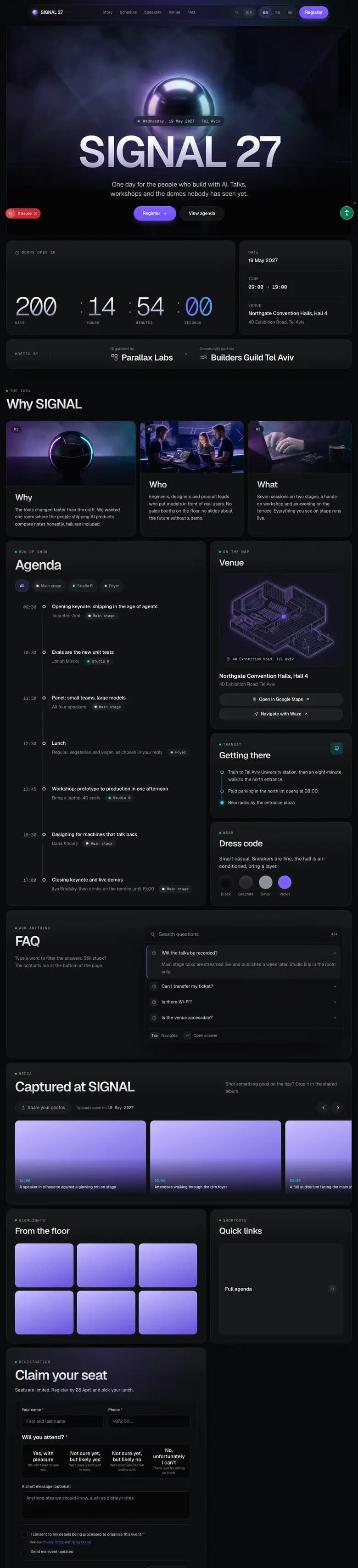
Keynote Bento
A conference page in tiles: the programme, the speakers and the partners.
- Sample: SIGNAL 27, a day of talks
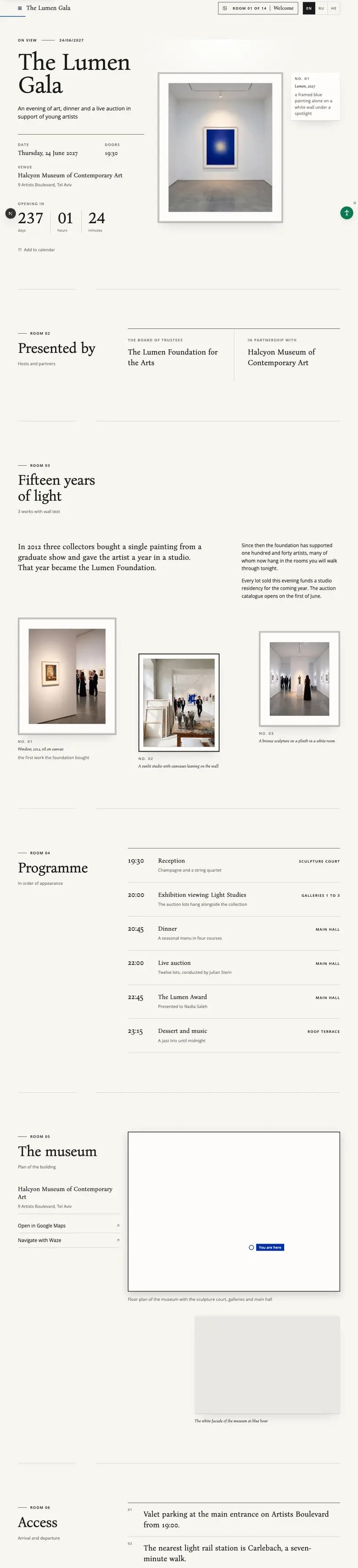
Exhibition
Every section hung like a work on a gallery wall.
- Sample: the Lumen Gala at a museum
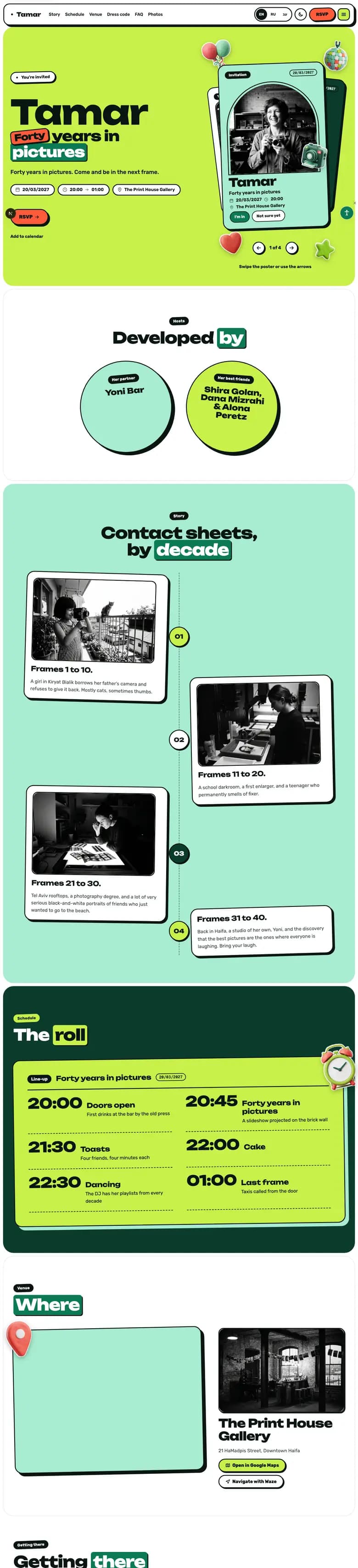
Party Poster
A party poster in big type.
- Sample: the birthday of Tamar
These are six of the 48 themes. All of them are in the site editor once you sign up, and you can switch between them without losing a word.
Start for freeLive demos
Try the features
Everything here works right on the page. Nothing is saved, and nothing is sent.
Make the card
Pick the event, type the names, choose one of the designs and the language: the card follows as you go.
Answer as a guest
Tap a reply in the invitation: the organiser’s list counts it at once. Switch the guest’s language below.
The album guests open
Like a photo, save it to a folder only you see, or pick a few to download. Included with every event.
Build the event site
Pick one of eleven themes from the site editor’s 48, then the event, the names, the date and the sections: the preview rebuilds at once.
Seat them by drag
Drag a guest or a whole party onto a table, or tap the armchair to choose one. A table that is too small says so.
Messages on WhatsApp
Pick the message: invitation, reminder, event-day message or thank-you. Each goes to its own guests by default. Check how it looks in WhatsApp and send; here the queue only pretends.
Add an expense
Add a category, record a payment, and watch paid, left and the totals follow.
Keep track of the gifts
Mark each guest’s gift as money or an item and type the amount: you see at once who gave what was expected, less, or nothing yet, and the totals follow.

Get early access
The first to join get Pioneer status: a direct line to the team and a say in what we build next.